


Offline Games - No Wifi Games
4.614.32K Reviews
App Specs
- Version
- 3.13.2
- Updated On
- License
- Free
- Downloads
- 100,000,000+
- Developer
- JindoBlu
- Categories
- Casual
- Platform
- Android, iOS
Screenshots

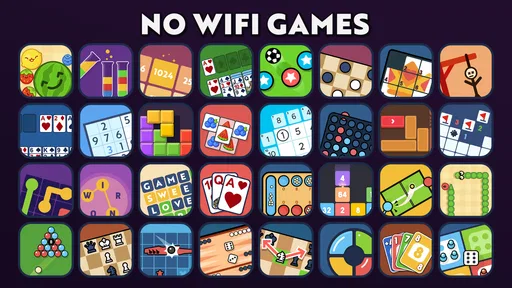




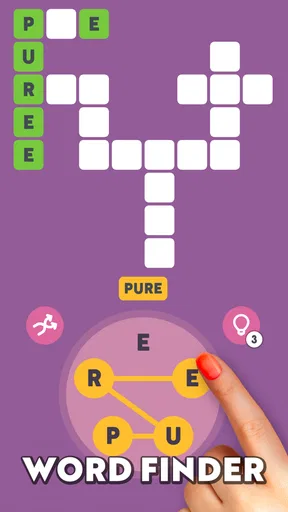
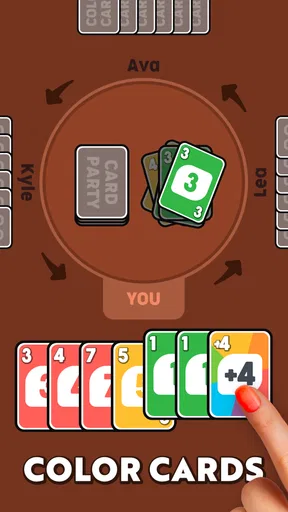
 Analysis by AppCompare
What I value in an offline game is not just whether it opens without a signal, but whether I can settle into it quickly and choose something that suits the time I have. Offline Games - No Wifi Games is a casual game collection from JindoBlu, and its appeal is the option to move between different kinds of play rather than commit to one long campaign. I’d reach for it on a flight, during a wait, or at home when I want a small puzzle break without relying on a connection.
Start with one game, not the whole collection
The easiest way to approach a collection is to pick a familiar activity first. Chess is a useful starting point if you want a deliberate game with clear rules; word games suit a quieter, language-focused break. The broader mix is handy when your mood changes, but it can also make browsing feel less focused than opening a dedicated chess or puzzle app. I’d treat the choice as a way to match the moment, not as a promise that every included game will become a favorite.
For a practical routine, decide how long you want to play before opening the app. If you have only a few minutes, choose a game you already understand rather than spending that time sampling options. When you have a longer wait, browsing the collection can be part of the entertainment. This small habit helps the app work as a dependable time-filler instead of another menu you scroll through without starting.
Make offline play part of a travel habit
The offline focus is most useful when a connection is uncertain: for example, I’d open the app before boarding, confirm that the game I want is available, and then put the phone away until the wait begins. That is a more reliable routine than assuming every activity will suit every situation. It also helps to choose a game that can be paused naturally if an announcement, conversation, or stop interrupts you.
For a family trip, the variety can make it easier to offer different kinds of low-key entertainment without switching between several separate apps. The Everyone age rating is reassuring for a broad audience, although I’d still choose an activity based on the player’s age and interests rather than assuming every puzzle or game will suit everyone equally. Younger players may prefer simple, immediately understandable choices; someone who enjoys planning may gravitate toward chess.
What to expect from a collection
Compared with a dedicated puzzle game, a multi-game app trades depth in one activity for breadth. That is its central convenience and its main limitation. If I want to improve at chess over time, a specialist chess app is more likely to provide the focused tools and learning structure I’m seeking. If I want to switch from chess to a word puzzle without installing several separate titles, this collection makes more sense.
The same trade-off applies to people who prefer a narrative or a clear progression system. A set of short games can be easy to dip into, but it may not provide the sustained goals that keep a campaign-driven game engaging. I’d skip it if the main thing I want is a deep story, competitive online play, or a single game with extensive strategy. Its strongest use is flexible, self-directed play in spare moments.
Worth Reading Before You Choose

Switching to Android Auto Means Rethinking Your Driving Routine

Google Calendar Makes a Crowded Week Easier to Manage

Baby Panda World Brings Quick Play to Modern Phones, but Its Game Library Feels Busy

ESPN’s Live Game View Makes Following Close Games Easier

QuizzLand Review: A Good Fit for Short Trivia Breaks, Not Every Player

Basketball Stars: Multiplayer Is Fast, but Can It Recover When Matches Go Wrong?
A Wide Array of Choices
One of the first things you'll notice about Offline Games - No Wifi Games is the sheer variety it offers. Whether you're in the mood for some classic puzzles, intense strategy, or even a quick arcade fix, this app has got you covered. I found myself diving into a riveting game of chess one moment and then switching to an adrenaline-pumping racing game the next. The app offers a delightful mix that caters to all types of gamers.
User-Friendly Interface
Now, let's talk about the interface. It's super intuitive and easy to navigate. You won’t need a manual to figure things out here. Just open the app, pick your game, and you're good to go. The developers have done a stellar job keeping it simple yet efficient, which is perfect for those moments when your brain is already fried from a long day.
A useful way to make that simple layout work for you is to notice which choices you return to, then start with those on later visits instead of treating each launch as a fresh browsing session. I also recommend testing a couple of different styles when you have unhurried time: a word activity and a strategy game ask for different kinds of attention, and learning which one fits a short break makes later choices quicker. This is a repeatable habit, not a hidden shortcut or a special feature.
Settings and practical trade-offs
Before relying on any game collection for a trip, I’d take a calm moment to look through the available in-app settings and the device’s own controls. Keep the volume at a level that suits where you are, and use the phone’s brightness controls to balance visibility with comfort. These are ordinary device habits rather than claims about a particular setting inside the app, but they matter when you are playing in a dim cabin, a shared waiting area, or beside someone trying to rest.
It is also worth thinking about the difference between “offline” and “ready for every situation.” A game that needs attention is a poor fit when you must watch for a boarding call or keep an eye on a child. For those moments, I’d choose something that feels easy to pause and resume, and avoid starting a focused chess session when interruptions are likely. Offline access removes dependence on WiFi; it does not remove the need to pick the right activity for your surroundings.
Who gets the most from it
This casual collection is a sensible fit for people who want several familiar styles of play in one place, especially travelers, commuters, and anyone who has occasional stretches without reliable internet. It can also suit households that want a simple game option to share, provided each person chooses an activity they understand and enjoys. The game is free to download, and its 4.7 average rating from around 395,000 ratings suggests that many players find the broad approach appealing. Optional in-app purchases range from $1.99 to $10.99 per item, so I’d keep that in mind if you prefer to avoid spending inside games.
It is less compelling for someone who wants a carefully curated collection of only one genre, detailed instruction, or a competitive community. In those cases, a focused word-game or chess app may be a better match, while a console-style mobile game may suit players looking for a long-form adventure. With over 100 million installs, this is a well-established choice for casual play, but popularity alone does not guarantee that every included activity will match your taste.
Performance, battery, and sensible expectations
Despite being offline, the games boast impressive graphics and smooth performance. I was pleasantly surprised by how visually appealing some of the games were. The loading times are quick, and I didn’t experience any noticeable lags. It’s evident that a lot of effort went into optimizing these games for a seamless offline experience.
One practical caveat is that graphics and responsiveness can feel different from one activity to another, so I would not assume that every game has the same visual style or pace. A quick check before a long journey is worthwhile: open the activity you plan to play while you have time, learn its basic rhythm, and make sure it is the sort of game you actually want to return to. That avoids spending a precious break discovering that your chosen option is not your preferred kind of play.
Battery Friendly
One of the biggest worries with mobile gaming is the battery drain. Well, guess what? These games are pretty easy on the juice. I spent a good chunk of my weekend playing, and my battery life was still going strong. This makes it perfect for long journeys where charging might not be an option.
Even so, I would not plan a full day around any phone game without considering the rest of the device’s use. Screen brightness, other apps, and how long the screen stays active all affect a trip’s battery budget. My practical approach is to save the collection for downtime, lower brightness when comfortable, and leave enough charge for maps, messages, or travel details. That turns the game into a useful spare-time option rather than something that competes with essentials.
Version, access, and age suitability
The current version is 3.6.4, and the game supports Android 6.0 or later. It is listed for Everyone, which makes it easier to consider for mixed-age use, though I’d still supervise younger children as I would with any phone activity and check that the chosen game is appropriate for them. Since it is free, trying it does not require an upfront purchase; the listed in-app items are optional purchases, so families may want to review their device’s purchase controls before handing over a phone.
That combination makes it approachable, but it does not mean it is the best option on every device or for every player. Someone using an older phone should leave room for the operating system requirement, while a player who wants one polished, deep experience may be happier with a specialist title. I see the collection as a convenient backup to keep available, not a replacement for every kind of mobile game.
Perfect for Everyone
Whether you're a hardcore gamer or just someone looking to kill time, you'll find something to love here. The games range from easy to challenging, catering to both casual players and those seeking a bit of a challenge. Plus, the app is family-friendly, so you don’t have to worry about inappropriate content popping up.
For me, the best measure of whether to keep it installed is simple: do I actually use more than one kind of game, and do I value having choices when the internet is unavailable? If yes, the collection earns its place. If I repeatedly open only one activity, I’d compare it with a dedicated app that gives that particular game more room to grow. That is the key trade-off: breadth is useful when your preferences vary, but unnecessary when they do not.
My verdict after making it a habit
Offline Games - No Wifi Games is a lifesaver for anyone who loves gaming without the constant need for an internet connection. It’s packed with a variety of games that are both fun and engaging, all while being easy on your device’s resources. So next time you find yourself in a WiFi dead zone, just remember, this app’s got your back. Trust me, you’ll be thanking yourself for downloading it.
My recommendation is to install it for the moments when a single-purpose game would be too narrow: an unpredictable wait, a trip with different players, or a quiet break when you have no signal. Go in with realistic expectations, choose an activity that fits the time and setting, and treat the breadth as the main benefit. If you want deep progression or serious improvement in one game, pick a specialist instead; if you want a flexible offline collection, this is an easy one to try.
Pros
- No internet required for gameplay.
- Wide variety of game genres.
- Light on device storage.
- Frequent updates with new content.
- Easy-to-use interface.
Cons
- Limited multiplayer options.
- Ads in free version can be intrusive.
- Some games lack depth.
- Graphics quality varies.
- In-app purchases in some games.
FAQs for Offline Games - No Wifi Games
What types of games are available in Offline Games - No Wifi Games?
Offline Games - No Wifi Games offers a diverse collection of games across various genres including puzzles, action, sports, and strategy. These games are designed to be played without an internet connection, making them perfect for travel or areas with limited connectivity.
Do Offline Games - No Wifi Games require any in-app purchases?
While the app itself is free to download and play, some games within the app may offer optional in-app purchases. These purchases can enhance gameplay or provide additional features, but they are not necessary to enjoy the games.
Is Offline Games - No Wifi Games suitable for all ages?
Yes, the app is designed to cater to a wide audience with games that are suitable for both children and adults. However, it's always a good idea for parents to review individual game descriptions to ensure they are appropriate for younger players.
How much storage space do Offline Games - No Wifi Games require?
The app itself is optimized to be lightweight, but the storage space required can vary depending on the number of games you choose to download. It's recommended to have at least 200 MB of free space to ensure smooth installation and updates.
Can I play Offline Games - No Wifi Games on multiple devices?
Yes, you can install and play Offline Games - No Wifi Games on multiple devices as long as they are compatible with the app. However, progress in individual games may not sync across different devices unless cloud saving is supported by a specific game.


